Mac desktop app + online workspace and browser-based team views. Private preview; public signup is not open.
People and Gear, Together.
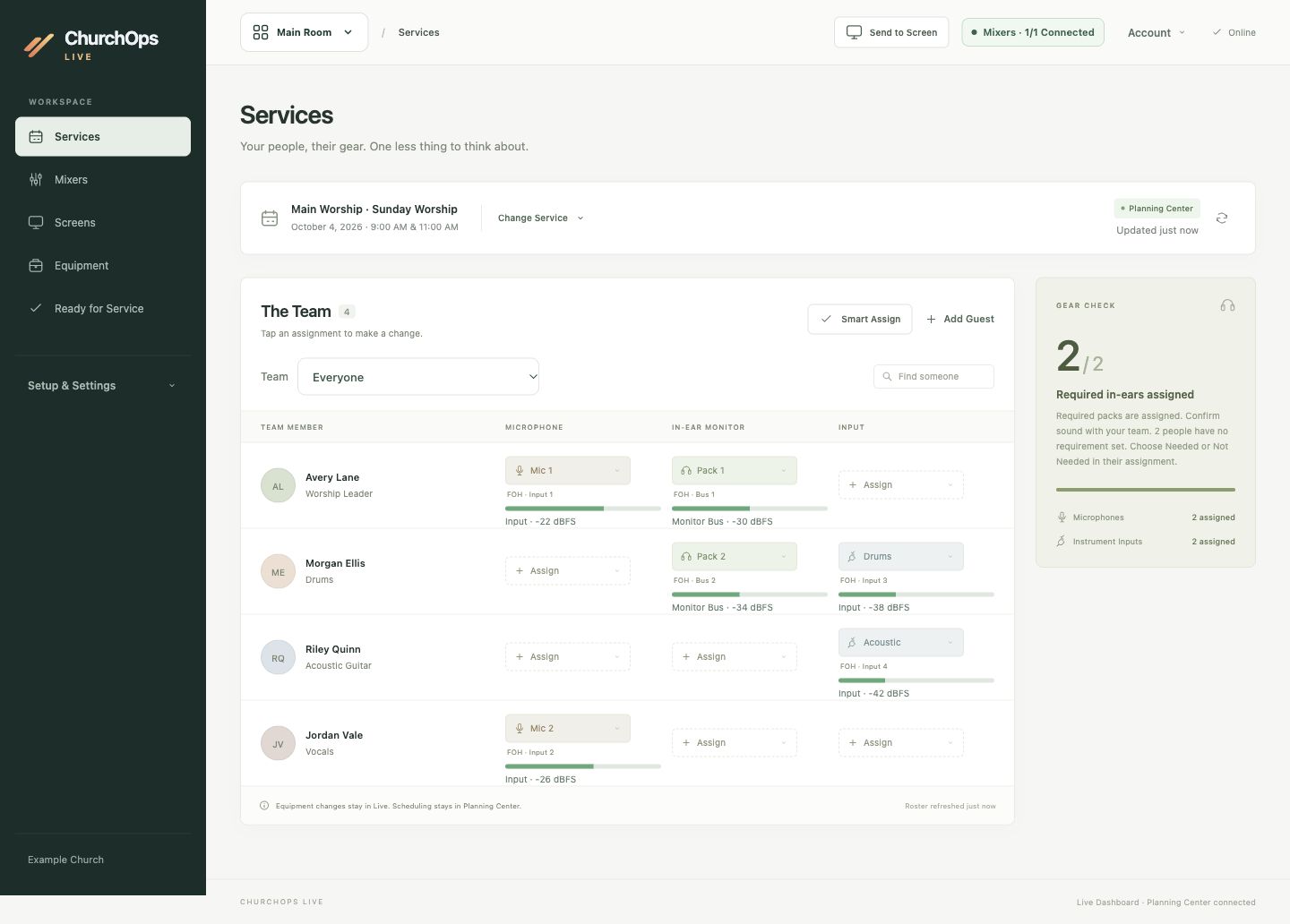
The service workspace puts each person beside their microphone, in-ear monitor, and input. Your operator can follow assignments without piecing together separate lists.
Bring in the selected Planning Center service roster.
Spot required in-ear assignments and equipment conflicts.
Read supported console levels beside the relevant source.
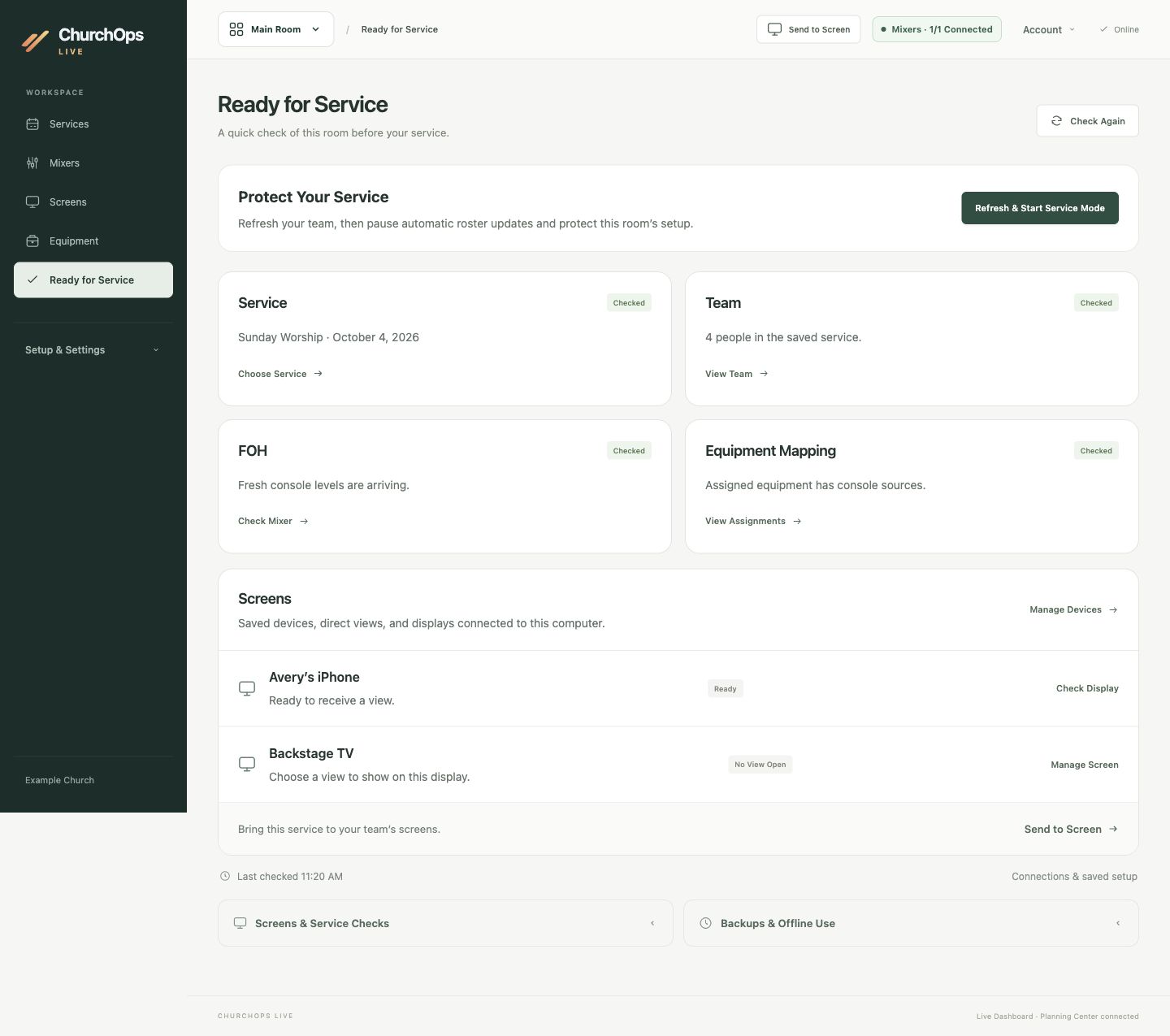
A room check brings the selected service, saved team, console connection, equipment mapping, and screens into one view. It helps the operator see which details need a second look.
Confirm the service and roster you intend to use.
Distinguish fresh readings from a connection that needs attention.
Review saved devices and displays before sending a view.
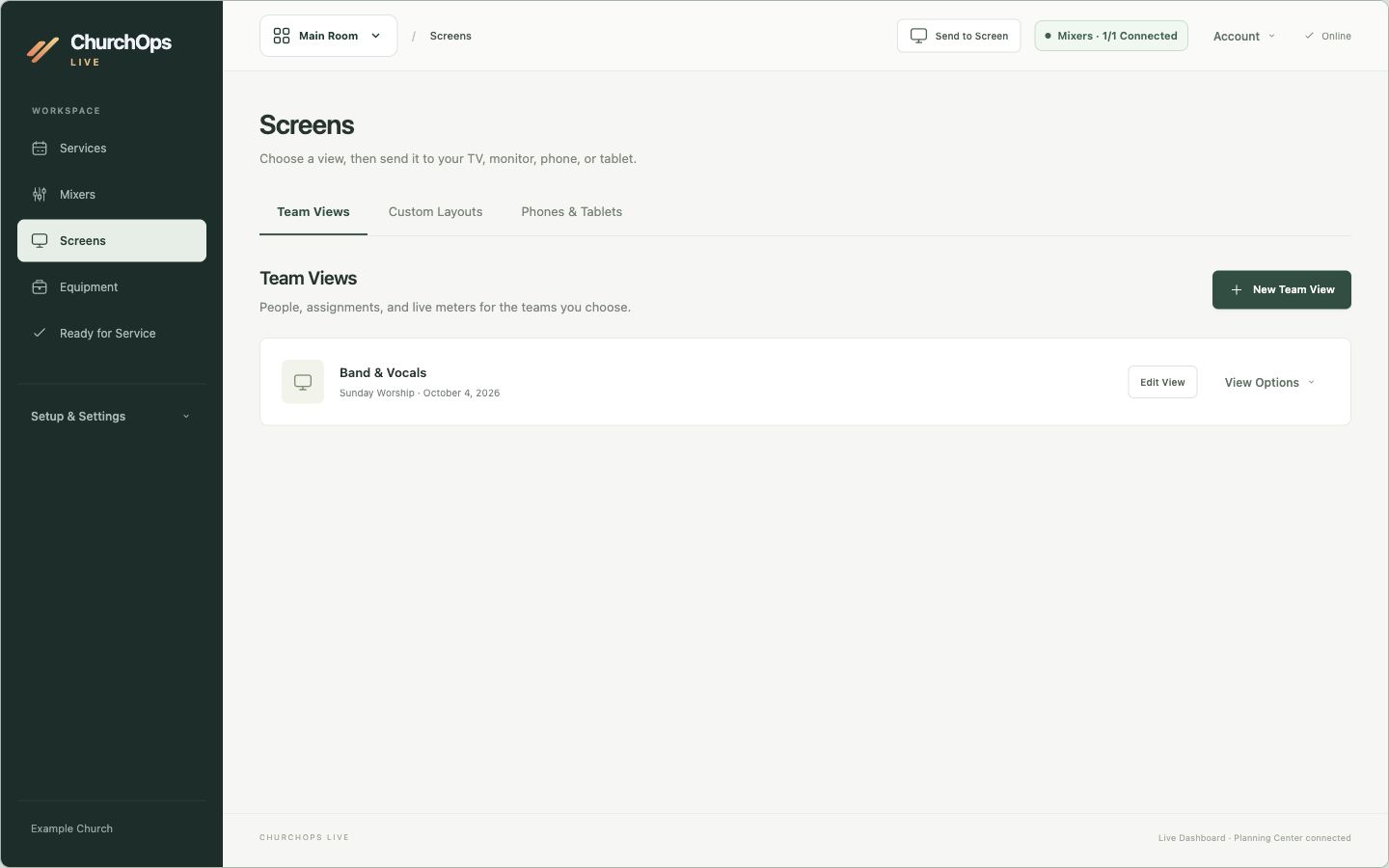
Prepare a focused team view for the people who need it. Choose which people and information appear on a backstage display, an operator screen, or a team member’s device.
Use Planning Center Services rosters, positions, and teams to prepare for the right service. Imports leave the original schedule in Planning Center.
02
Give Every Piece a Place.
Assign microphones, in-ear monitor packs, and inputs to people. See conflicts before equipment is moved and keep assignments tied to the service.
03
Put the Team in View.
Build team views and screen layouts for backstage, front of house, phones, or tablets. Choose the people and information each screen should show.
04
Know What Needs Attention.
Use room readiness and connection status to spot missing assignments or stale readings. Compatible local connections can add mixer meters and production status.
Made to Fit Your Room.
Live’s preview includes Planning Center workflows, X32/M32 meter connections, and read-only ProPresenter and OBS status. Additional hardware connections are in development. Compatibility depends on the specific equipment, app edition, local host, and network; we’ll review your setup together.
Proposed Live Basic: $19/month or $190/year. One room, one operator, core assignments, supported mixer meters, and one shared screen layout.
Proposed Live Pro: $59/month or $590/year. Three rooms, three operators, Smart Assign, independent screens, and production integrations. Both plans remain previews; checkout is not open.
Add Sound Level Monitoring to see calibrated room readings, session averages, and sample peaks—and share readings to your Live room screens. Audio is processed on the measurement computer.
Proposed: $9 per monitored room/month or $90/year. Available as an add-on to either Live plan; priced separately from the suite. A measurement microphone and compatible acoustic calibrator are required.
Browser workspace and shared team views. Access is provided through your Live setup.
iPhone
Browser Team Views
Join a prepared team view with the connection details supplied by your operator. No native iPhone app announced.
iPad
Browser Team Views
Use a tablet as a team display. No native iPad app announced.
Mac
Desktop App · Private Preview
The production workspace, local connections, and screen controls. Current preview requires macOS 13 or later.
Windows
Browser Access
Open the online workspace or a shared team view. A native Windows desktop app has not been announced.
Apple Watch
Not Announced
Live does not currently offer an Apple Watch app.
What to Know Before You Start+
Who It’s For
For production operators and service teams coordinating people, equipment, and screens in a room.
Getting Access
Begin with a preview conversation about your room, operator Mac, screens, and equipment. Local meter and production connections depend on compatible hardware and network access.
Internet & Syncing
Internet is required for editing and normal screen authorization, including HDMI. Local hardware connections also require the appropriate network connection.
How the Experiences Connect
A browser team view is a display for the people serving. Local production connections and desktop screen controls belong to the Mac setup. The preview can prepare a separate, read-only local team view before a service for up to six hours; it requires advance pairing and does not provide offline editing.
Questions & Answers
Can We Buy Live Today?
Live is in private preview. Public signup, checkout, and App Store distribution are not yet available. The pricing page shows a proposed launch model, and our team can discuss a pilot.
Does Live Replace Our Mixer or Presentation Software?
Live brings assignments, screens, and supported status information together. It does not replace your mixing console or presentation software. ProPresenter and OBS connections are read only.
Does a Hub Subscription Include Live?
Hub on its own does not include Live. In the proposed model, you can add Live Basic or Pro, choose Live independently, or include Live Pro through Hub’s All Products Add-on. Sound Level Monitoring is a separate optional Live add-on. Existing subscriptions and preview access do not change.
Will Live Change Our Planning Center Schedule?
Roster imports are read only. Equipment assignments stay in Live; service scheduling remains in Planning Center.
Can We Use Our Existing Screens?
Live includes browser-based team views alongside its Mac preview. The right arrangement depends on your displays, devices, network, and plan. Share your room setup so we can review compatibility.
Are the Audio Meters Real?
Supported console connections provide actual input meter readings. Sound Level Monitoring is a separate room measurement feature using a measurement microphone and calibration. The website examples use fictional readings. Console meters do not measure room decibels.
Let’s Get Your Room Ready.
Tell us about your team, displays, and equipment. We’ll help you explore Live.