
1. Connect a Microphone
Select a compatible mono measurement input with audio processing disabled. A built-in Mac microphone can check input, but that check is not a calibrated room reading.
ChurchOps Live · Optional Add-on
Give your production team a shared view of room volume alongside the rest of the service. An optional sound measurement tool inside ChurchOps Live.
Explore ChurchOps Live ↗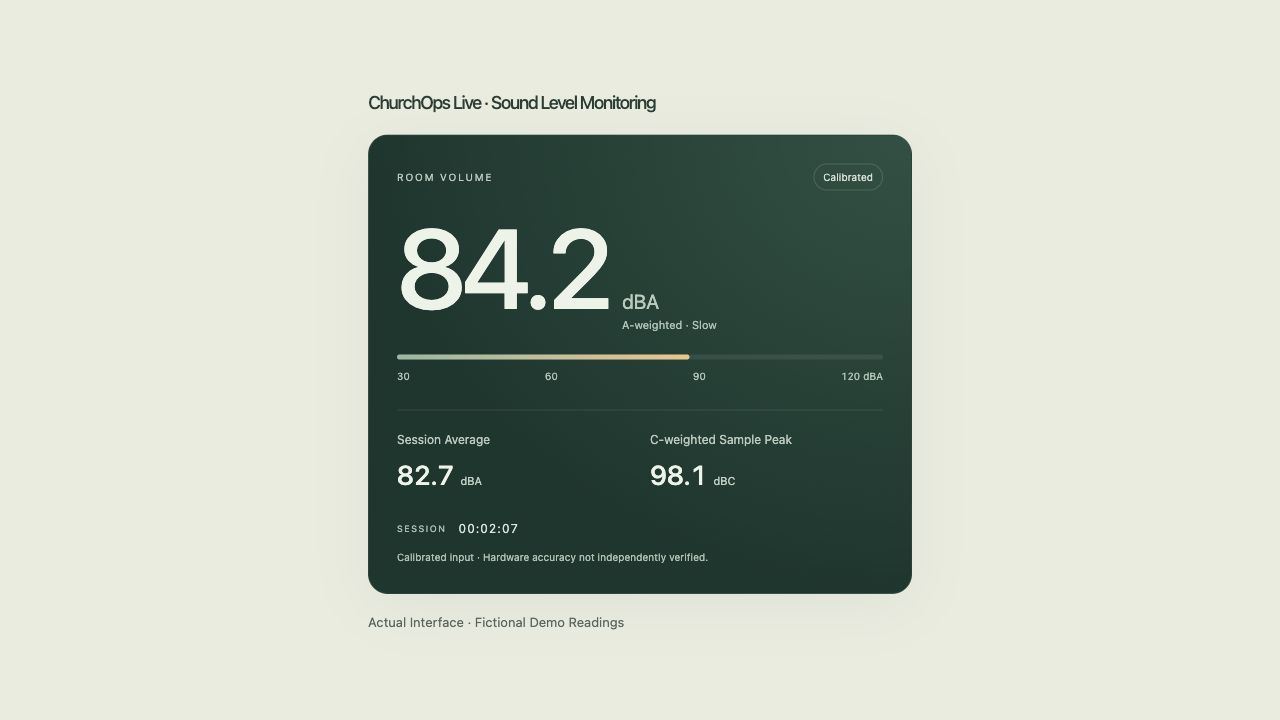
Read the current A-weighted slow sound level, session average, and C-weighted sample peak. Keep the meter on the measurement computer or share the latest readings to that room’s Live screens.
Audio stays on the measurement computer. Only the readings are shared; this feature does not record audio.
Open Full-Size Screen ↗Select a compatible mono measurement input with audio processing disabled. A built-in Mac microphone can check input, but that check is not a calibrated room reading.
Use a compatible 94 or 114 dB, 1 kHz acoustic calibrator. Keep input gain unchanged and recalibrate when the input, gain, or hardware changes.
Start a fresh session and optionally share to the selected room. Keep Live open; stopping the input or closing the app ends measurement.
Proposed Add-on Pricing
Or $90 per monitored room, billed annually. Add it to Live Basic or Pro, whether Live is purchased independently, with Hub, or through the All Products Add-on. It is not included in the base Live or complete suite price.
The fee covers monitoring for a room already included in your Live capacity. It does not add another Live room. Microphone, calibrator, and other hardware are purchased separately.
Build a Plan with Monitoring ↗Commercial pricing is proposed. Existing preview access is unchanged; public checkout is not open.
The feature uses a compatible microphone input on the measurement computer through Live’s current Mac desktop build or a supported secure browser with AudioWorklet support. Microphone permission and unprocessed mono input are required. Confirm your computer, browser, microphone, and calibrator with us before purchase.
Windows measurement compatibility has not been confirmed for this offer. Shared readings can appear in Live’s browser-based room screens on supported desktops, phones, and tablets. A viewing iPhone or iPad is not automatically a calibrated measurement device. There is no Watch offering.
Calibration checks a known reference level; accuracy still depends on microphone response and the rest of the hardware. Absolute hardware accuracy has not been independently verified. This preview is not being sold as a certified sound-level instrument.
The local meter updates continuously. Shared screens update about every two seconds, plus polling and network delay. Input interruption, overload, or lost calibration hides invalid readings.
No. Live’s supported console meters show signal levels from the mixer. This add-on uses a microphone to measure sound in the room. You can keep using the console meters without choosing this add-on.
The proposed add-on is priced per monitored room, not per person viewing its readings. Live’s operator and room capacity limits still apply. More than three monitored rooms needs a scoped Live Pro capacity proposal.