Native iPhone app + online workspace on Mac, Windows, and iPad. Invited team access; public access is not yet open.
See What’s Moving.
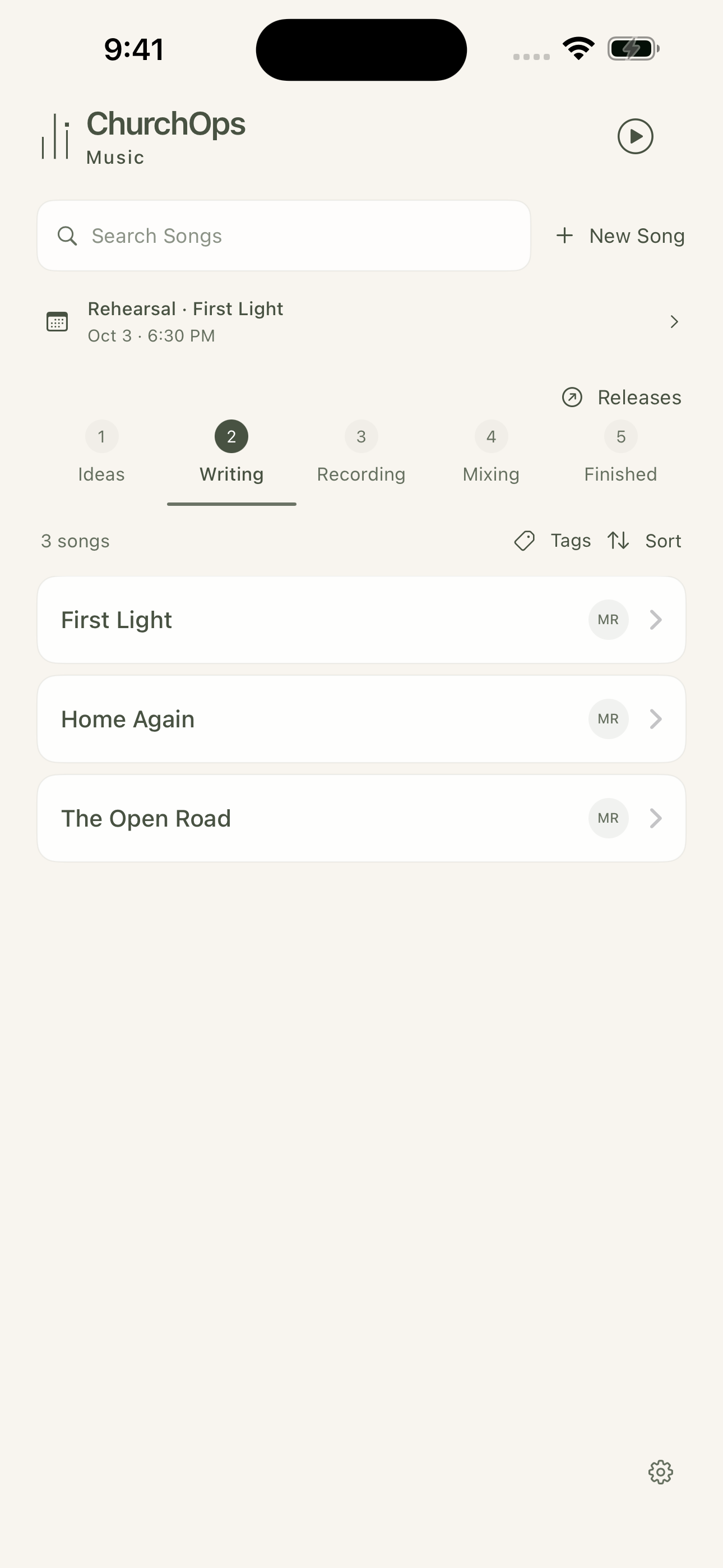
Keep songs organized through Ideas, Writing, Recording, Mixing, and Finished. The board gives collaborators a shared starting point for the work they can access.
Find songs by their current stage.
Keep original ideas and work in progress together.
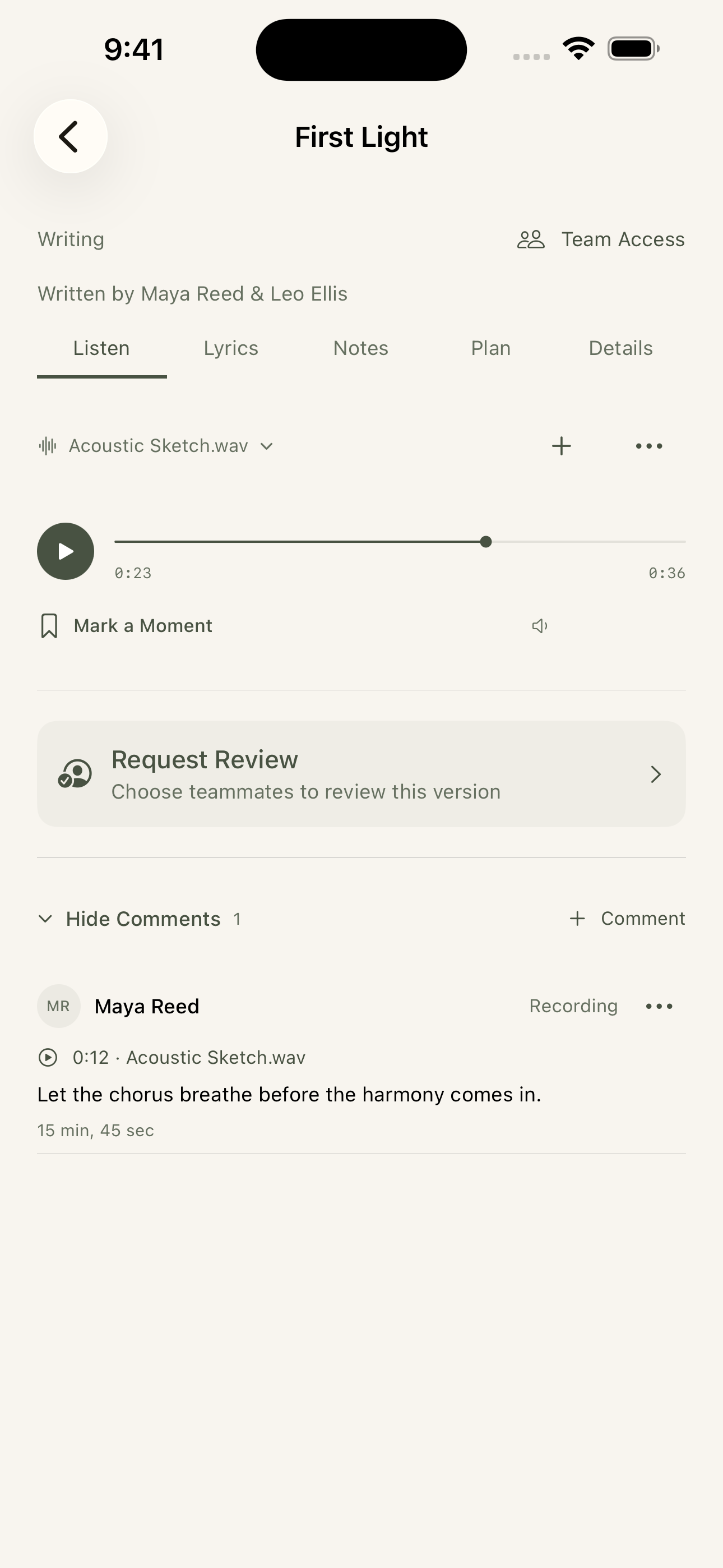
Open a song for its audio, lyrics, notes, and plan.
Play a version, mark a moment, and put feedback where a collaborator can understand it. Keep discussion connected to the recording instead of a separate message thread.
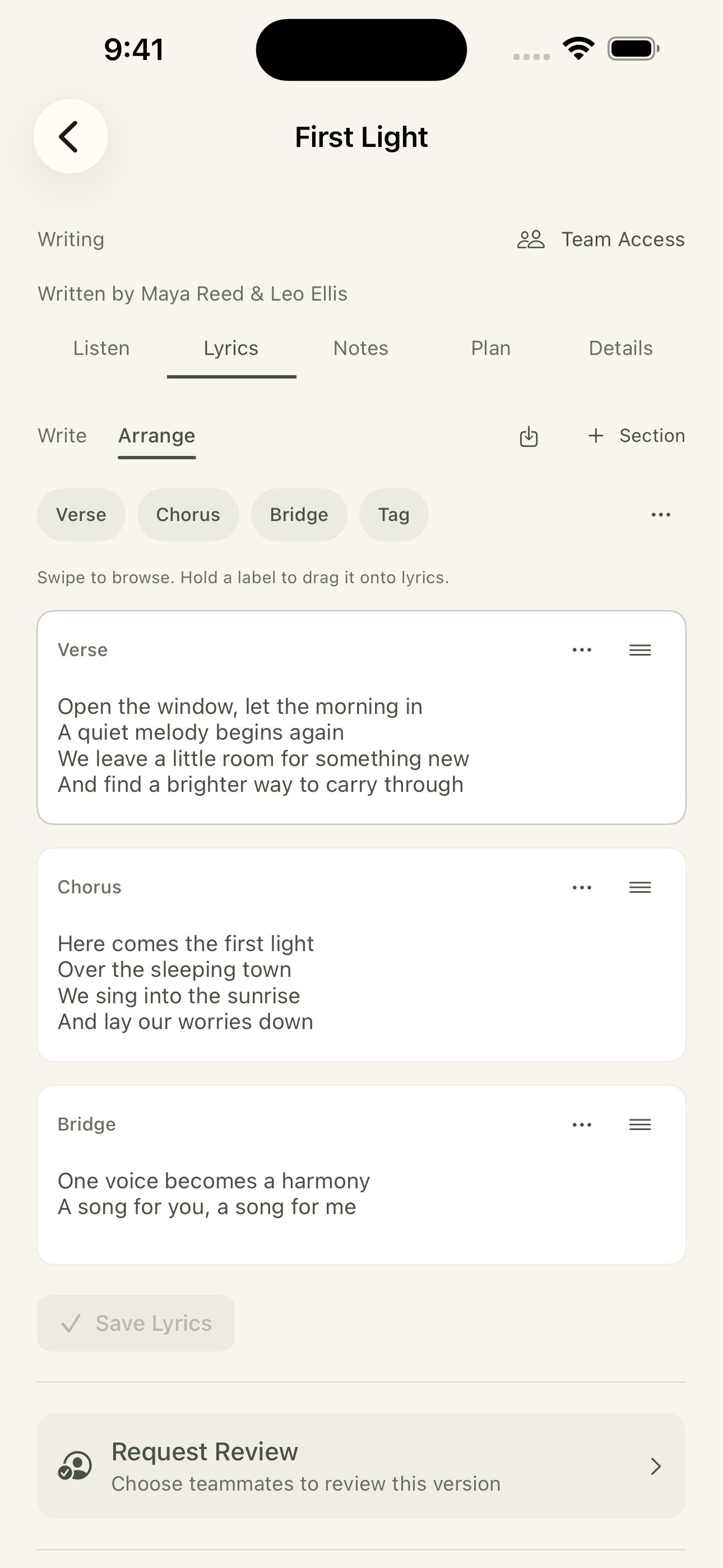
Write and arrange lyrics in sections. Verse, chorus, bridge, and tag labels make the structure easier to follow as the team works through the next version.
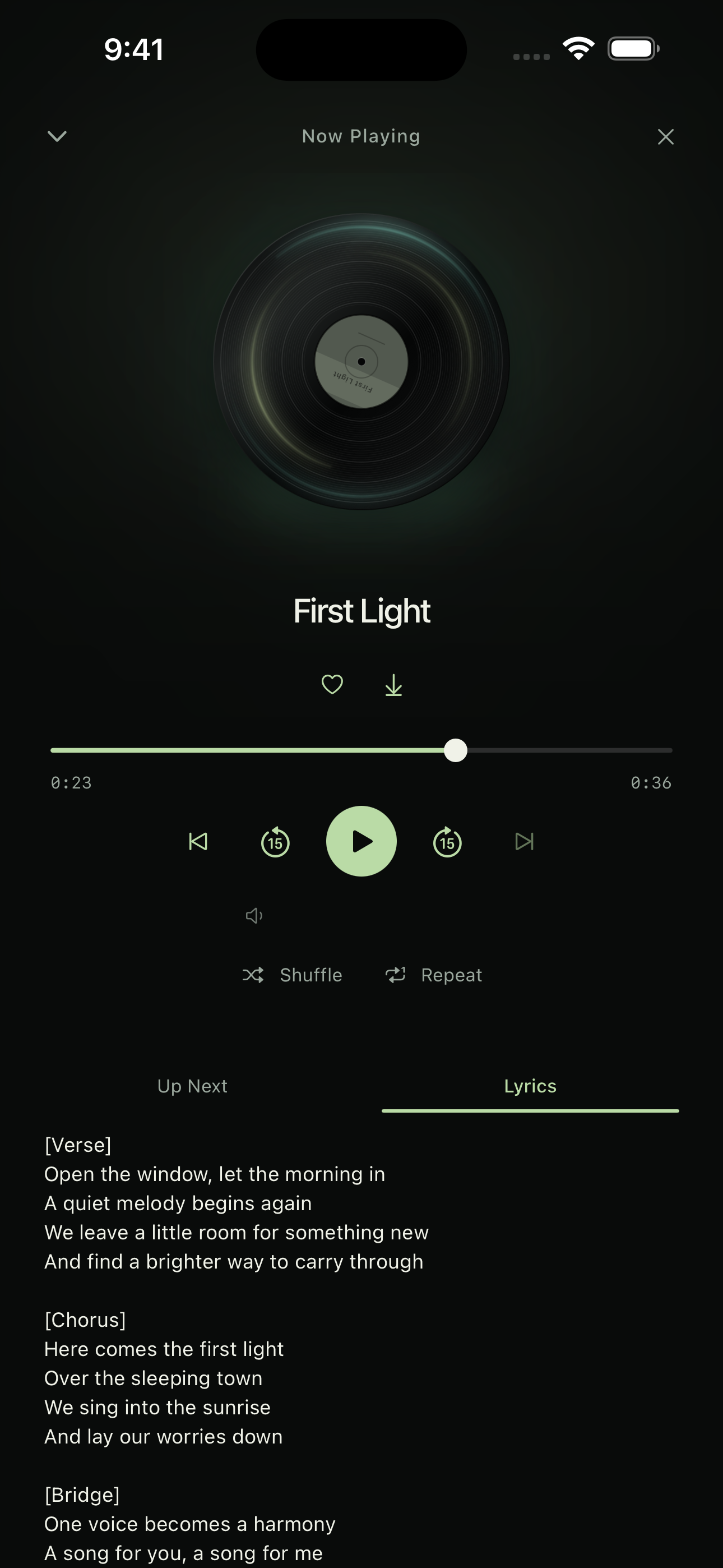
The Music player keeps the track and lyrics together, with playback controls and a listening queue. Download available audio ahead of time when you need to listen offline.
Give each song a home. Track its stage from idea through writing, recording, mixing, and finished, with tags and a clear view of what’s next.
02
Write and Arrange.
Build lyrics in sections, keep notes with the song, and bring collaborators into the same workspace. Share with selected teammates when you’re ready.
03
Listen and Respond.
Keep multiple recordings together. Mark a moment with timestamped feedback, then request a review of the version you want your team to hear.
04
Plan the Next Step.
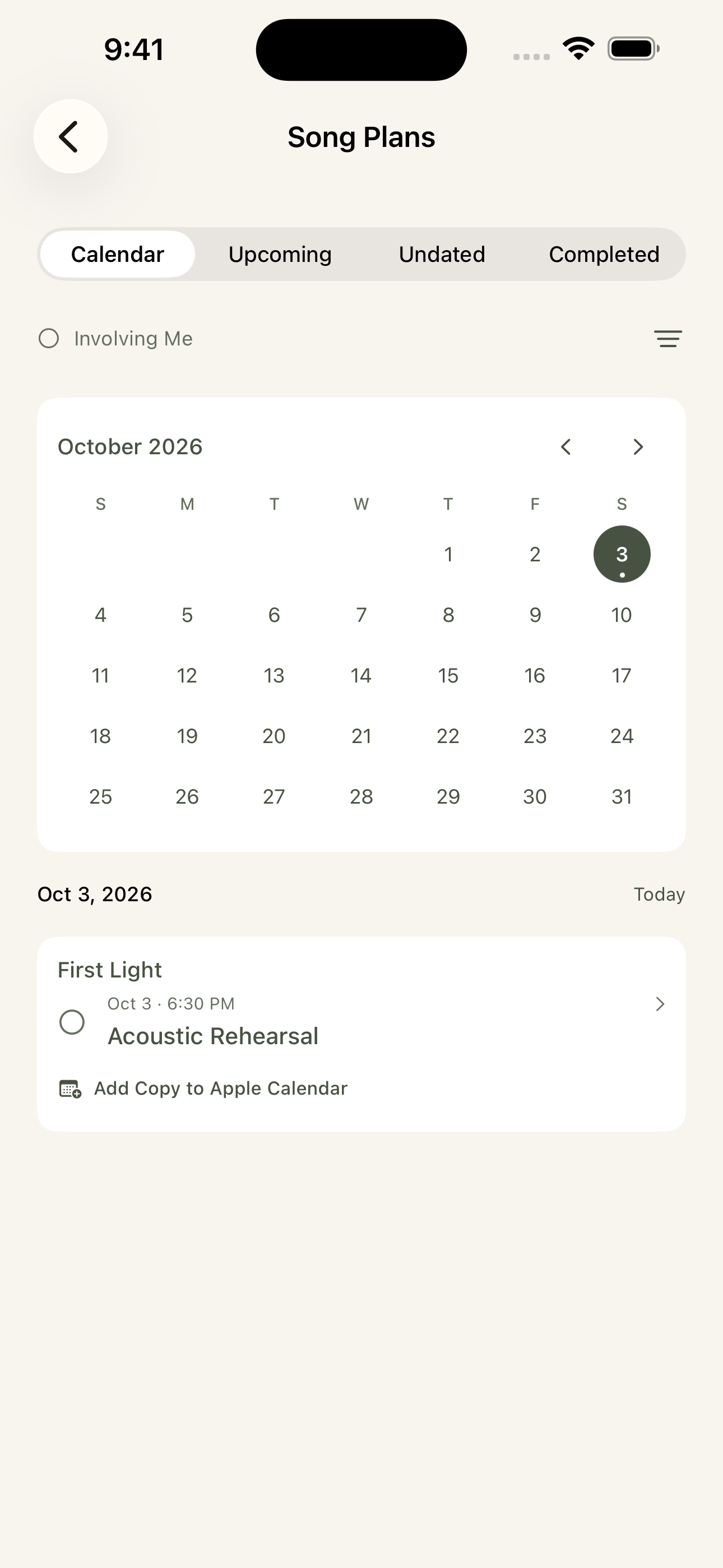
Organize rehearsals, recordings, videos, and release plans. Keep writing and recording credits alongside the work without confusing credits with access.
Your Ideas, With Room to Grow
A Creative Workspace. And a Place to Listen.
Open Music Library for continuous listening. Download recordings before going offline, and keep the app open after reconnecting to sync pending changes.
Private songs stay private until they’re shared. Finished is a workflow stage; release plans remain a separate decision.
The proposed Music plan is $29/month or $290/year for one workspace and up to 10 collaborators. Choose it independently, add it to Hub, or include it through Hub’s All Products Add-on. Existing invited-team access remains free.
Open your team’s browser workspace using the link and account supplied by your administrator.
iPhone
Native App · Invited Access
The dedicated songwriting and listening app. Current iPhone build requires iOS 17 or later.
iPad
Browser Workspace
Access your team’s workspace online. A dedicated native iPad app has not been announced.
Mac
Browser Workspace
Write and collaborate in the browser. A native Mac desktop app has not been announced.
Windows
Browser Workspace
Use your team’s workspace online. A native Windows desktop app has not been announced.
Apple Watch
Not Announced
Music does not currently offer an Apple Watch app.
What to Know Before You Start+
Who It’s For
For songwriting teams developing original ideas, lyrics, recordings, feedback, and the plans around a song.
Getting Access
Your administrator provides the workspace and account. Existing invited team access is currently free; installing an app does not grant song access or create a team.
Internet & Syncing
Use the iPhone app to download available audio before going offline. Reconnect and keep the app open to sync supported pending changes. Shared collaboration and browser access need a connection.
How the Experiences Connect
The iPhone app and browser workspace connect to the same team service. Device features such as Apple Calendar access and downloaded listening depend on the native app; the browser experience can differ.
Questions & Answers
Frequently Asked Questions.
How Does Our Team Get Access?
Music currently serves the existing invited team. A team administrator provides accounts; downloading an app does not create a workspace or grant access to songs. Contact us to discuss future team availability.
Do We Need a ChurchOps Hub Subscription?
No. Music is currently free for the invited team and does not require Hub. The future paid team plan on our pricing page is a proposal; it does not change existing access or create a charge.
Song access is controlled separately from a writing credit. Listing someone as a writer does not itself grant access to the song; use the app’s sharing and team access tools.
Can We Keep Several Recordings of a Song?
Yes. A song can hold multiple audio versions so the team can listen and discuss the work in context.
Can We Listen Offline?
Available audio can be downloaded in advance for offline listening. Download it while connected; other collaboration and syncing actions still need a connection.
Give Your Songs a Place to Grow.
Tell us about your songwriting team and how you work together.