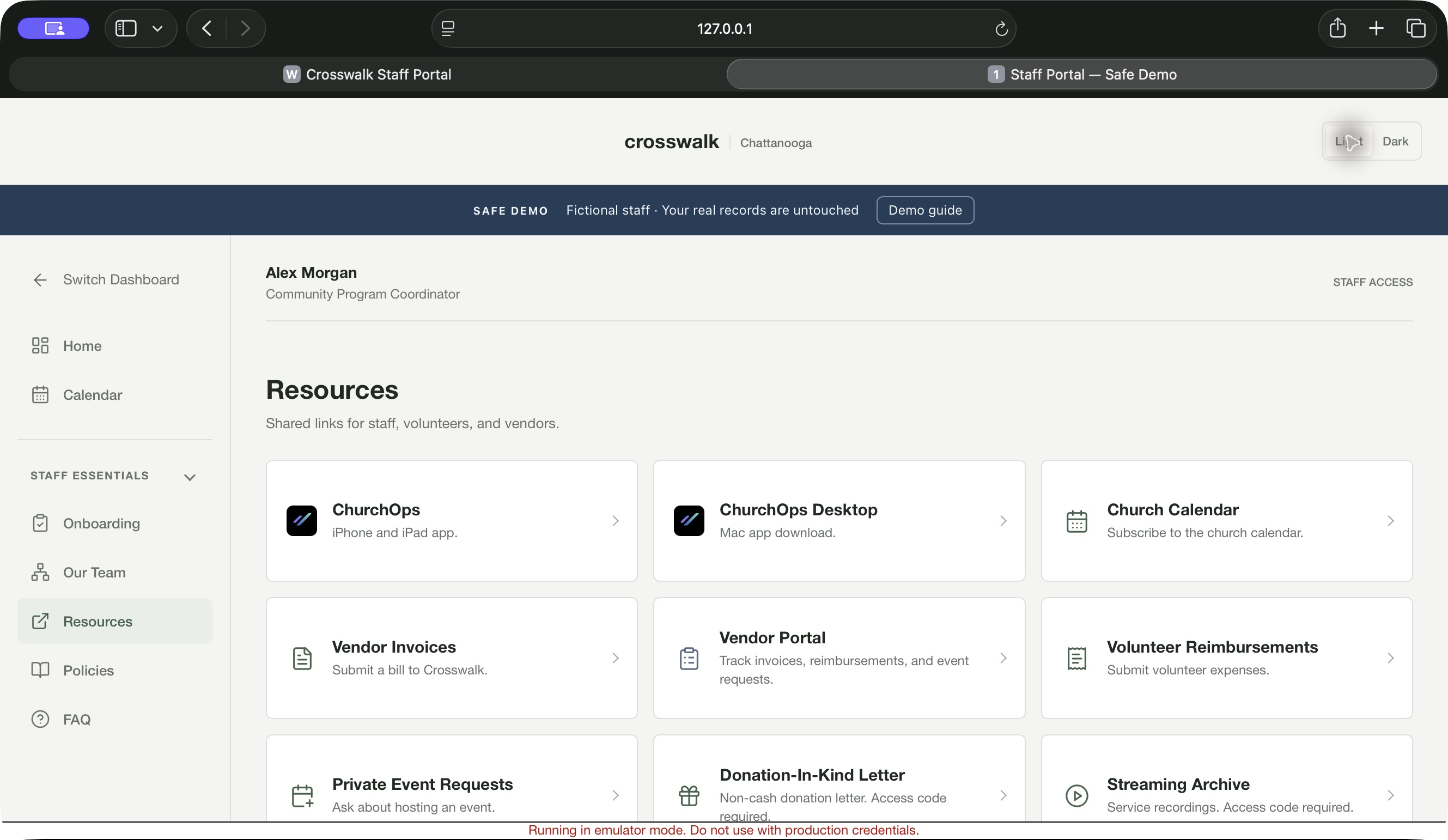
The Staff Portal is part of ChurchOps Hub: a browser workspace for your church’s staff. Bring everyday resources, finance follow-up, attendance, and people workflows into a familiar place.
Online on Mac, Windows, iPad, and iPhone. A ChurchOps Hub feature; use your church’s staff access link.
A Familiar Place to Begin.
The staff workspace brings personal tools and church resources into a browser. Staff can start with their own responsibilities, then move to the areas their role permits.
Find personal resources and everyday staff tools.
Move into timekeeping, finance, or attendance when authorized.
Use the church’s established staff account and access.
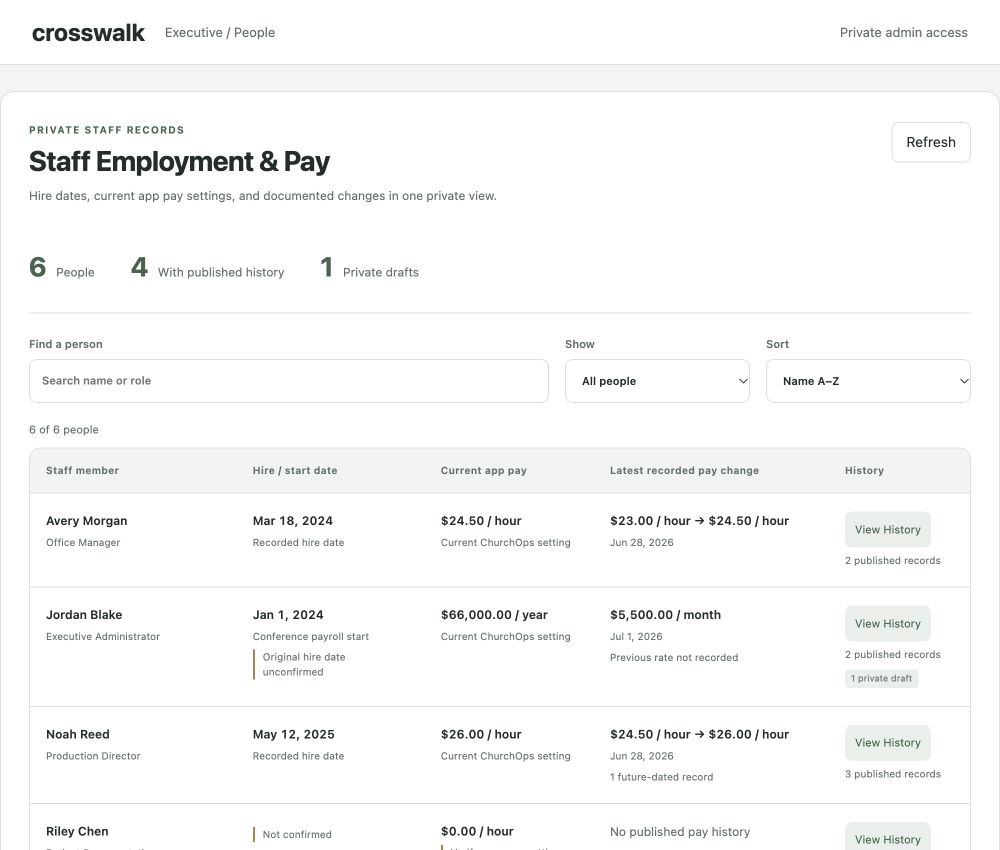
Authorized leaders can review employment records and the history behind changes. The example shows a fictional staff roster in the Executive workspace.
Review staff employment information in context.
Keep history and draft changes visible to authorized users.
Sensitive employment and pay tools require additional access.
Staff can find their own work and resources, while authorized leaders have the views they need to support the team.
Personal Workspace
A starting point for staff information, next steps, and the church resources that support the working day.
Finance Follow-Up
Find assigned transactions, provide receipts and notes, and respond to finance review from the browser.
Timekeeping Insights
Review personal submission history and timekeeping information. Authorized administrators have a separate team view.
Employment & Onboarding
Support the path from a church’s hiring process to staff onboarding and employment information.
Service Attendance
Work with shared service counts, named counters, service snapshots, and configured attendance reporting.
Church Resources
Bring church-specific links, documents, and operational resources together in a navigable directory.
Executive Workspace
Give authorized administrators and assigned leaders a place for people, permissions, hiring, and leadership updates.
Financial Reports
Review configured financial reports and campaign progress through the separate reporting access provided by the church.
Built around your church
A Shared Starting Point. Appropriate Access.
The existing portal connects staff with their ChurchOps account and verifies their church access. Staff information and administrator tools follow separate access requirements.
Finance oversight, leadership reports, and other specialized workflows are available to the roles configured by the church.
CURRENT AVAILABILITY
A Working Portal. A Considered Rollout.
The Staff Portal is currently in use for Crosswalk. Its resources, staff workflows, and integrations are configured for that church.
Interested in something similar for your team? Let’s discuss fit and availability. Self-service setup for additional churches is not currently offered.
Yes. The Staff Portal is a feature of ChurchOps Hub. Your church still needs its portal configured and your staff access provisioned; downloading the app alone does not complete that setup. Contact us to discuss your church’s needs and current availability.
How Do I Get Help with a Form or Staff Access?+
For an invitation, role, or church-specific link, start with your church administrator. For a product issue, email hello@church-ops.com with your account email, church name, and a short description.
Can Every Manager See Employment and Pay Records?
No. Sensitive employment tools are restricted. The Executive workspace uses additional authorization and a PIN; ordinary staff access does not grant access to every employee record.
Is This Ready for Any Church to Sign Up?
The current portal is configured for Crosswalk. Another church’s setup, access rules, and rollout need to be reviewed with us before its staff begins using a portal.
How Does the Staff Portal Fit Within Hub?
The Staff Portal is part of ChurchOps Hub and supports its staff and operational workflows. Music and Live have their own product access. A shared brand does not mean every app uses the same account or permissions.