iPhone · iPad · Mac apps. Online Staff and Request Portals. Active paid team subscription required.
Start With What Needs You.
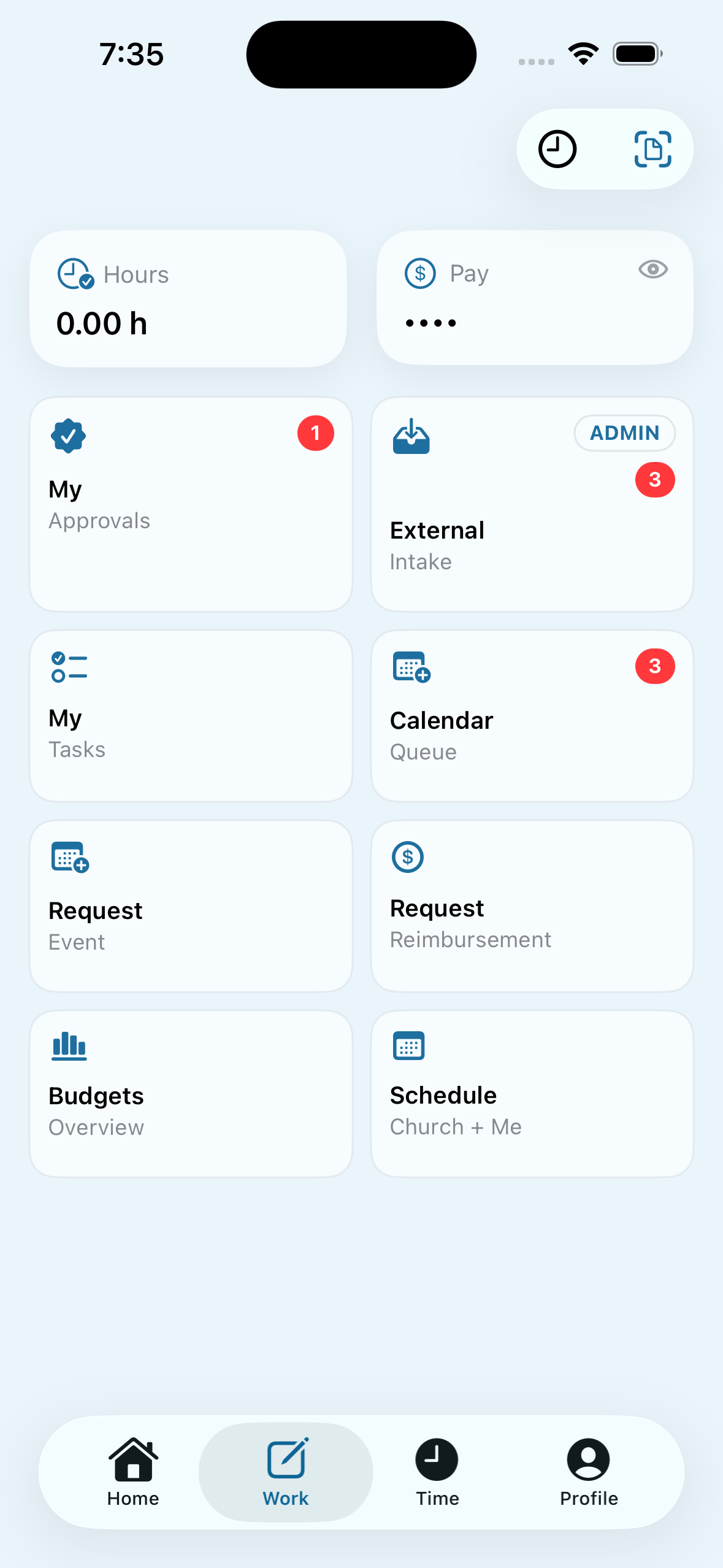
Open Work for a clear route into approvals, requests, budgets, and your schedule. The workspace brings recurring responsibilities into one familiar place.
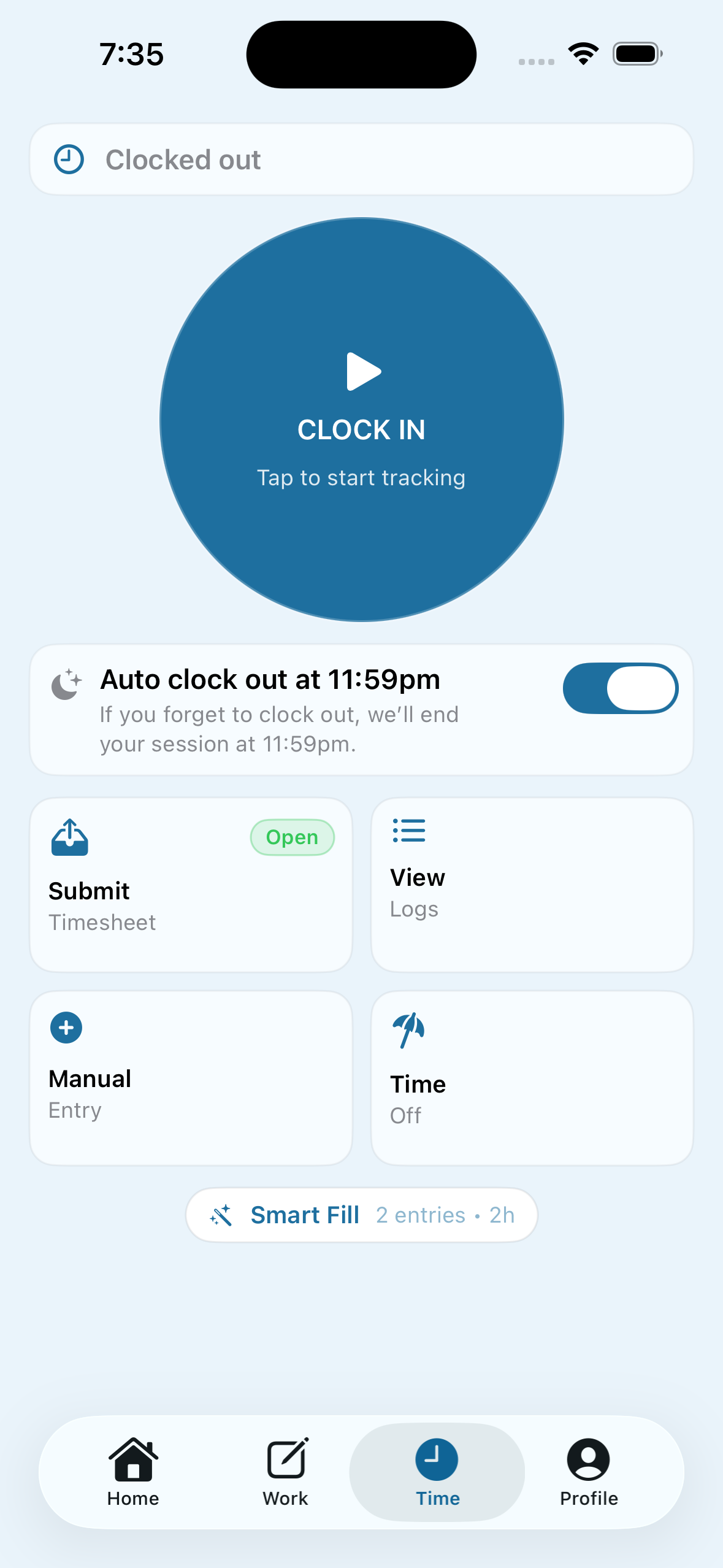
Clock in, review logs, and prepare a timesheet without moving to a separate timekeeping tool. Manual entries and time-off tools keep exceptions close to the everyday flow.
Start and end a shift from the Time screen.
Review logs before submitting a timesheet.
Use manual entries or time-off requests when needed.
A shared workspace for staff, administrators, and board members, with the tools and access each role needs.
Finance & Budgets
Budgets & Spending
Organize ministry budgets, review recorded spending, and see what remains across the funds and years your role can access.
Receipts & Transactions
Bring receipts and transaction details into finance review. Keep staff follow-up, corrections, and supporting documents connected.
Invoices & Reimbursements
Move requests through review and approval. Keep the request, budget assignment, and payment context together.
Connected Finance Workflows
Use supported bank and card connections, including Plaid and Ramp, when configured for your team. Availability depends on your setup.
Staff, Time & Tasks
Time & Timesheets
Track work time, review entries, and submit timesheets. Eligible staff can use clock-in workflows and review their hours.
Time Off
Request leave and follow its approval status. Give administrators a place to review requests and plan around staff availability.
Inbox & Notifications
Keep workflow updates, reminders, and follow-ups in one inbox. Use the available views and filters to find what needs attention.
Tasks & Follow-Through
Track assigned work and the next steps that help the team keep plans moving.
Staff Reviews
Coordinate review scheduling and availability, with clear next steps for staff and the leaders involved.
Directory & Team Access
Find the people on your team and manage membership, roles, and access through the appropriate administrator tools.
Events, Approvals & Board
Events & Schedules
View the plan, coordinate event requests, and work through the relevant approval steps before an event moves ahead.
Approvals
Give reviewers a clear place to see assigned requests, examine the details, and take the next appropriate action.
Board & Meetings
Bring meeting information, RSVPs, documents, and minutes workflows into the board’s workspace.
Documents & Resources
Keep shared material within reach and use supported document connections when your church enables them.
Part of ChurchOps Hub
Hub’s Browser Workspaces
Use Hub’s native apps on your devices, its Staff Portal for browser-based team work, and its Request Portal for people submitting requests to your church. The portals are Hub features, with access shaped around each person’s role.
HUB / STAFF PORTAL
Your Staff Workspace, in the Browser.
Bring church resources, finance follow-up, timekeeping, attendance, and authorized administration together for your staff.
Portal access is configured for each church. The current web installations serve Crosswalk; talk to us about setting up Hub for your church.
Your Foundation. Room to Grow.
Hub includes its Staff and Request Portals. Add Live, Music, or Count when you need them, or choose the proposed All Products Add-on for $69/month or $690/year on top of your Hub tier. Specialized add-ons are separate.
Staff work and external requests through your church’s configured portals.
iPhone
Native App · Available
Use Hub on the go. Requires iOS 18.2 or later.
iPad
Native App · Available
Use Hub on iPad. Requires iPadOS 18.2 or later.
Mac
Desktop App · Available
Download ChurchOps Desktop from the Mac App Store; check the listing for device compatibility.
Windows
Browser Access
Use Hub’s Staff and Request Portals online. A native Windows app has not been announced.
Apple Watch
Companion · Release Unconfirmed
A paired-iPhone companion has been developed. Confirm availability with us before planning around it.
What to Know Before You Start+
Who It’s For
For staff, administrators, and board members who need finance, people, time, and planning in one workspace.
Getting Access
Start with your church’s team invitation and an active Hub subscription. Portal access is configured for each church; the current installations serve Crosswalk.
Internet & Syncing
Use an internet connection for shared updates, requests, and team access. Available tools depend on your role, app version, and church setup.
How the Experiences Connect
The Staff and Request Portals are features of Hub. Browser access provides the relevant portal workflows; it does not imply every native app feature is available on the web.
Questions & Answers
How Do I Join My Church’s Team?+
Use the invitation your church administrator sends you. The existing ChurchOps invitation page guides you through installing the app and opening your invitation. If you need a fresh invitation, contact your administrator.
Where Do I Find Pricing and Billing?+
Current subscription options are shown in the app and on the App Store. Operational access requires an active paid team subscription, and seat limits depend on the plan. For purchase restoration or billing help, visit Support.
How Do Hub’s Apps and Portals Work Together?+
The native apps, Staff Portal, and Request Portal are all parts of Hub. Staff use ChurchOps account credentials, with church staff access verified separately; external requesters use the requester email-code flow. Your church must provision portal access; installing the app alone does not grant access.
How Do Account Deletion and Privacy Work?+
The original ChurchOps app provides Settings → Delete Account. Deletion does not automatically cancel an Apple subscription. Read the existing Privacy Policy, Terms, and Support pages for the full details.
Does Hub Run Payroll?
Hub supports time records, timesheets, and related staff workflows. Pay estimates and records are not a payroll payment service. Confirm your church’s payroll process with its administrator.
Who Can See Finance and Staff Information?
Team membership and assigned roles determine available tools. Your church should set up its access and approval responsibilities before inviting the wider team.
Where Should a New Church Start?
Start with the people and one recurring workflow you want to organize, such as expenses or timekeeping. We can discuss team setup, the right seat count, and the parts of the suite that fit your church.